

Most supervisors don't have a dashboard problem. They have a "what do I actually do with this number" problem. You can pull a caseload report in thirty seconds, but staring at a column of case counts doesn't tell you whether Thursday's spike is noise or the start of a real staffing crisis. And by the time it's obvious, someone's already carrying 42 open cases and quietly falling behind on their follow-ups.
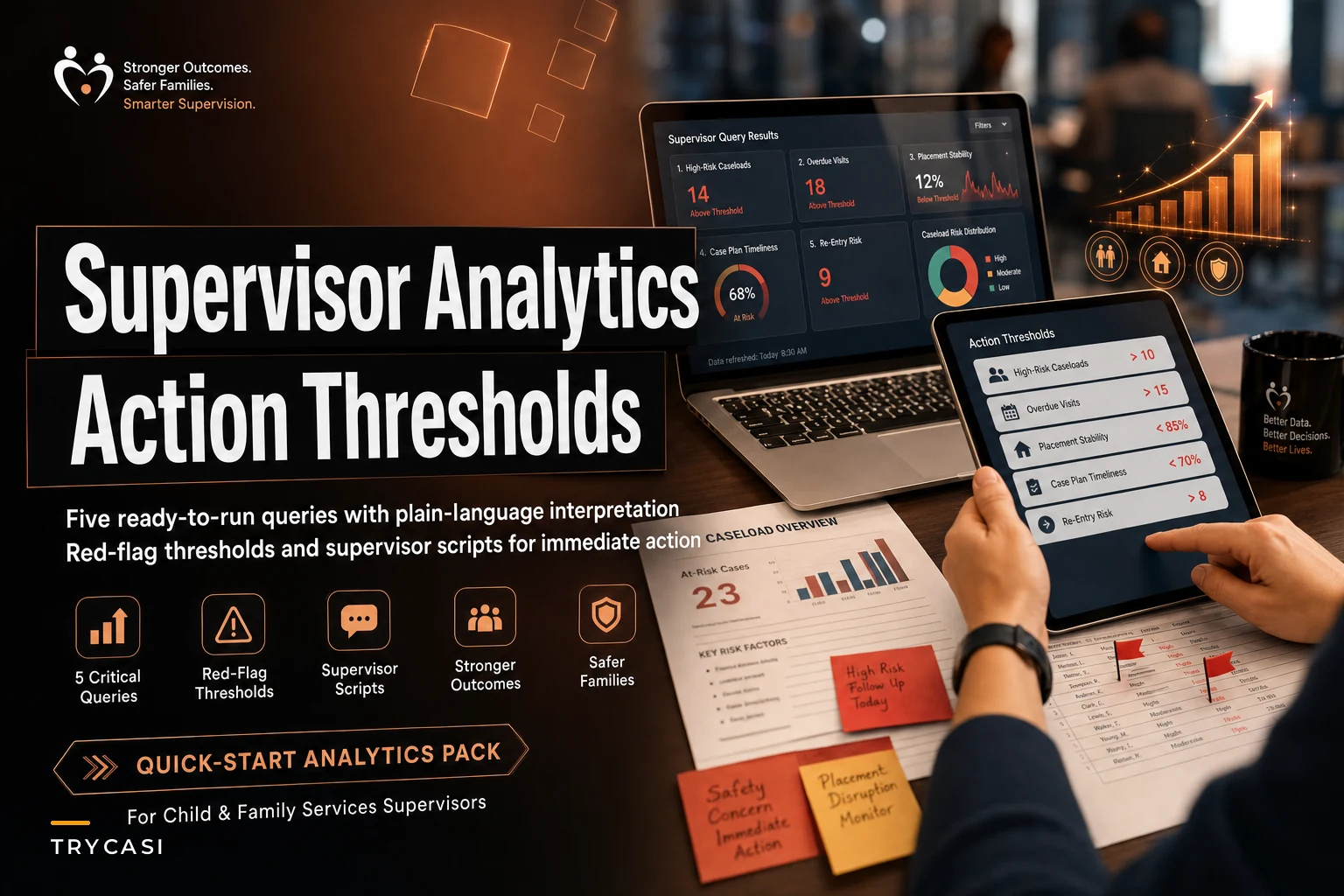
This is a tight, run-it-yourself supervisor analytics quick-start pack: five queries, how to read each one in plain language, where the red-flag line sits, and the exact thing to say to a caseworker once you cross it. No data science degree required. If you can read a spreadsheet and have a one-on-one, you can run all five every week.
Scope is narrow on purpose. This isn't a measurement framework or an outcomes model. It's five operational checks that catch problems while they're still fixable.
Why five, and why these five
The temptation with analytics is to build a 20-panel dashboard that nobody opens after week three. What actually sticks is a short list tied to decisions you already make. These five map to the four failure modes that quietly wreck a team: workload imbalance, dropped follow-ups, thin documentation, and inequitable service distribution.
| Query | What it measures | Red-flag threshold | Who you talk to |
|---|---|---|---|
| 1. Caseload distribution | Open cases per worker vs. team median | Any worker >25% above median | The worker + whoever's assigning intakes |
| 2. Follow-up aging | Days since last client contact per open case | Any open case >14 days silent (or past its own SLA) | The assigned worker |
| 3. Documentation lag | Open cases missing a note in the last contact window | >15% of a worker's caseload | The worker, gently |
| 4. Reassignment churn | Cases reassigned 2+ times in 60 days | Any case hitting 3 handoffs | The team, not one person |
| 5. Equity flag | Service timeliness split by client group | One group's wait >1.5x another's | The whole team + your intake process |
Run all five in under fifteen minutes. The interpretation is where the value lives, so let's go one at a time.
Query 1: Caseload distribution (the spike that sneaks up)
What you're pulling: count of open cases per worker, right now. Then the team median.
Eliminate case management chaos.
TryCasi helps you organize, monitor, and report on every case efficiently and securely.
- Centralized case tracking
- Automated client notifications
- Team task coordination
No credit card required
Plain-language read: You're not looking for the average. Averages hide the person drowning. You want the spread. If your median caseworker holds 24 open cases and one person is sitting at 31, that gap is your signal — not the raw number. A spike rarely announces itself. In practice it usually happens through drift: one worker is reliable, so intake quietly routes the "complex but not crisis" cases their way. Nobody decides to overload them. It accumulates over six or eight weeks until their follow-up quality drops and you're left wondering why.
Red-flag threshold: any worker more than 25% above the team median. So if the median is 24, your line is around 30.
What to actually say. Don't open with the number — it makes people defensive. Try: > "I'm looking at assignments across the team and yours is running heavier than everyone else's right now. Before I rebalance anything, walk me through which of these are actually active versus ready to close. I want to make sure I'm not moving cases you've already got momentum on." That script does two things: it signals you noticed and you're going to act, and it pulls the worker into the triage instead of making it a performance conversation.
Immediate next action: pause new intakes to that worker, close the stale ones, redistribute the rest. If you can't rebalance because the whole team is above a healthy line, that's not a distribution problem — that's a capacity problem, and it belongs in a different conversation with your own supervisor.
Query 2: Follow-up aging (the quiet client)
What you're pulling: for every open case, the number of days since the last logged client contact.
Plain-language read: sort descending. The cases at the top — the ones with 18, 23, 30 days of silence — are your risk list. A follow-up isn't "late" because a calendar says so. It's late relative to what that case needs. A stable housing case might be fine at 21 days. A high-risk case at 10 days is already a problem. So this query has two thresholds: a hard one and a relative one.
-
Hard line
any open case with no contact in 14+ days, regardless of type.
-
Relative line
any case past its own defined follow-up cadence, even if it's under 14 days.
The sneaky failure here is the case that looks active. There's a note from last week — but it's an internal note, a phone tag attempt, an email to a partner. No actual client contact. When you count "days since last client contact" instead of "days since last activity," these cases surface. That distinction catches more missed follow-ups than any other single filter.
What to say to the worker: > "Three of your open cases haven't had client contact in over two weeks. No judgment — I know some of these go quiet on the client's end too. Can you tell me which of these are reachable and which have gone dark? I want to figure out the ones that need an escalation versus the ones heading toward closure." Immediate next action: split the aged list into "unreachable, needs outreach protocol" and "slipped, reach out today." The first group might need your documented outreach steps; the second just needs a nudge and a calendar block.
Query 3: Documentation gaps (the note that was never written)
What you're pulling: open cases where a client contact happened but no corresponding note exists within the expected window — usually 48 to 72 hours after contact.
Plain-language read: this is the hardest one to pull cleanly because you're measuring an absence. The practical proxy: cases with a logged appointment or contact event that has no note attached within three business days. If your system timestamps contacts separately from notes, this is a straightforward join. If it doesn't, you're doing a spot-check sample instead.
Documentation gaps almost never come from laziness. They come from a worker who had a packed Thursday, saw six clients back-to-back, and genuinely intended to write it all up Friday morning — then Friday had its own fires. The notes don't get skipped. They get deferred into oblivion.
Red-flag threshold: more than 15% of a worker's open caseload missing timely documentation. One or two gaps is normal. A pattern above 15% means the workflow is broken, not the person.
What to say — and this one needs care: > "I noticed a handful of contacts without notes yet. I'm not worried about the backlog itself, I want to understand when you're finding time to write. Are you batching these at the end of the week? Because if the week's eating that time, that's something I can help with." You're diagnosing the workflow, not scolding the output. A supervisor who treats documentation gaps as a discipline issue teaches the team to hide them. A supervisor who treats them as a scheduling signal actually fixes them.
Immediate next action: if one person's over threshold, protect documentation time on their calendar — a daily 30-minute block, defended. If the whole team's over threshold, your contact-to-note workflow itself is the problem, and no amount of nagging fixes a structural time crunch. For the mechanics of catching these before they pile up, the weekly data-quality routine for caseworkers pairs well with this check.
Query 4: Reassignment churn (the case nobody keeps)
What you're pulling: cases reassigned two or more times in the last 60 days.
Plain-language read: every handoff loses context. The client re-tells their story, the new worker rebuilds rapport, and something always drops in the gap. A case bouncing between three workers in two months isn't getting fresh attention — it's getting repeatedly abandoned and restarted.
This query catches a problem the other four miss entirely. A churned case might have great documentation, recent contact, and sit on a balanced caseload — and still be failing the client, because no single person owns the relationship long enough to make progress.
Red-flag threshold: any case hitting 3 handoffs in 60 days. Two is sometimes legitimate (a worker left, coverage shifted). Three is a flag.
Why these cases churn, in practice: they're usually the ambiguous ones. Not clearly one program's responsibility, not clearly crisis, not clearly closable. So they get passed along whenever someone's caseload gets reviewed. Everyone treats them as temporary. Nobody commits.
What to say — and note this is a team conversation, not a one-on-one: > "This case has moved three times since October. Before it moves again, I want us to decide together: who owns it through the next milestone, and what does that milestone look like? I'd rather over-assign ownership than keep passing it." Immediate next action: assign a single owner with a defined next checkpoint, and explicitly take reassignment off the table for 30 days unless something crisis-level changes.
Query 5: Equity flag (the gap you're not measuring)
What you're pulling: median days-to-first-service, split by a client group you care about — primary language, ZIP code, referral source, whatever your equity goals name.
Plain-language read: you're comparing wait times across groups. If English-speaking clients see a worker in a median of 4 days and non-English-speaking clients wait 9, that 2.25x gap is operational inequity — regardless of intent. Nobody decided to deprioritize anyone. It emerged from interpreter scheduling, intake routing, and a dozen small frictions that compound.
This is the query supervisors skip most, usually because it feels political or because the data's messy. Run it anyway. You can't fix a gap you've never measured, and "we treat everyone the same" is exactly the belief that lets these gaps hide.
Red-flag threshold: one group's median wait exceeding 1.5x another's.
What to say — to the team, framed as a system question: > "When I split our intake-to-service times by language, one group's waiting about twice as long. I don't think anyone's doing this on purpose — I think something in our process is slower for them. Let's walk through where their cases actually stall." Immediate next action: trace one slow case step by step and find the stall point. Usually it's a specific, fixable thing — interpreter availability, a form that only exists in English, an intake worker who routes certain cases to a backlog. The equity flag tells you a gap exists; the case walkthrough tells you where.
A real scenario: the midsize team that was "fine"
A family-services team — about nine caseworkers, two supervisors, roughly 210 open cases at any given time — ran none of these checks regularly. Things felt fine. Caseloads looked "around 23 each" on the monthly report.
Then one supervisor spent fifteen minutes running the five queries by hand. The averages lied. Two workers were at 30+ while two were in the high teens. Follow-up aging surfaced 11 cases silent for over two weeks, four of them higher-risk. Documentation lag was sitting near 20% for one overloaded worker — directly downstream of the caseload imbalance. And the equity split showed Spanish-speaking clients waiting close to 8 days against roughly 4 for everyone else.
None of this was a scandal. It was ordinary drift. Over the following six weeks, they rebalanced caseloads, cleared the aged follow-up list, protected documentation time for the two overloaded workers, and traced the language gap to a single interpreter-scheduling bottleneck. The documentation rate climbed back into the low single digits, the aged-case list shrank to two or three at any time, and the language wait gap narrowed to roughly a day and a half. No new hires. No new software. Just five questions, asked weekly, with actions attached.
When this pack makes sense (and when it doesn't)
When it works well: teams of roughly 5–25 caseworkers where the supervisor still has enough proximity to act on what they find. At that size, fifteen minutes of querying turns directly into Monday's conversations.
When it's a bad fit: very large programs where no single supervisor can act on team-wide numbers — there you need these rolled up by unit. And brand-new teams with almost no case history, where thresholds will throw false alarms until you've got a few months of baseline.
Who should NOT lean on this alone: anyone treating these thresholds as rigid rules instead of conversation starters. The red-flag lines aren't verdicts. A worker at 31 cases might be fine for a month covering a vacancy. The number opens the conversation; it doesn't end it. If you want to build the team's comfort reading these numbers so they stop feeling like surveillance, a short data-literacy clinic does more than another dashboard will.
Running it without burning your week
Here's the weekly process, start to finish:
-
Monday, 15 minutes before the huddle run all five queries. Jot down only the lines that cross a threshold.
-
Sort by action owner which flags are one-on-one conversations, which are team conversations, which are process fixes above any single worker.
-
Script in advance use the lines above. Walking in with the first sentence ready keeps the tone diagnostic instead of accusatory.
-
Act same-day on the hard flags aged follow-ups and caseload spikes don't wait for next week.
-
Log what you did, not just what you saw. The flag is worthless if the action isn't tracked — otherwise you'll re-flag the same case in two weeks.
A quick sanity checklist before you call it done:
-
Did I check the spread on caseload, not just the average?
-
Did follow-up aging count client contact specifically, not internal activity?
-
Did I treat documentation gaps as a workflow signal, not a discipline issue?
-
Did churned cases get a real owner, not just another handoff?
-
Did I actually split a timeliness metric by client group this week?
-
Did every threshold crossing get an action and a follow-up?
If your case management system can save these five as scheduled queries, great — a lot of platforms let you set up saved views or automated flags so the aged-follow-up and documentation-gap lists land in your inbox Monday morning instead of you pulling them by hand. That's a nice convenience, but it's not the point. The point is the thinking: knowing which number matters, where the line sits, and what to say when you cross it.
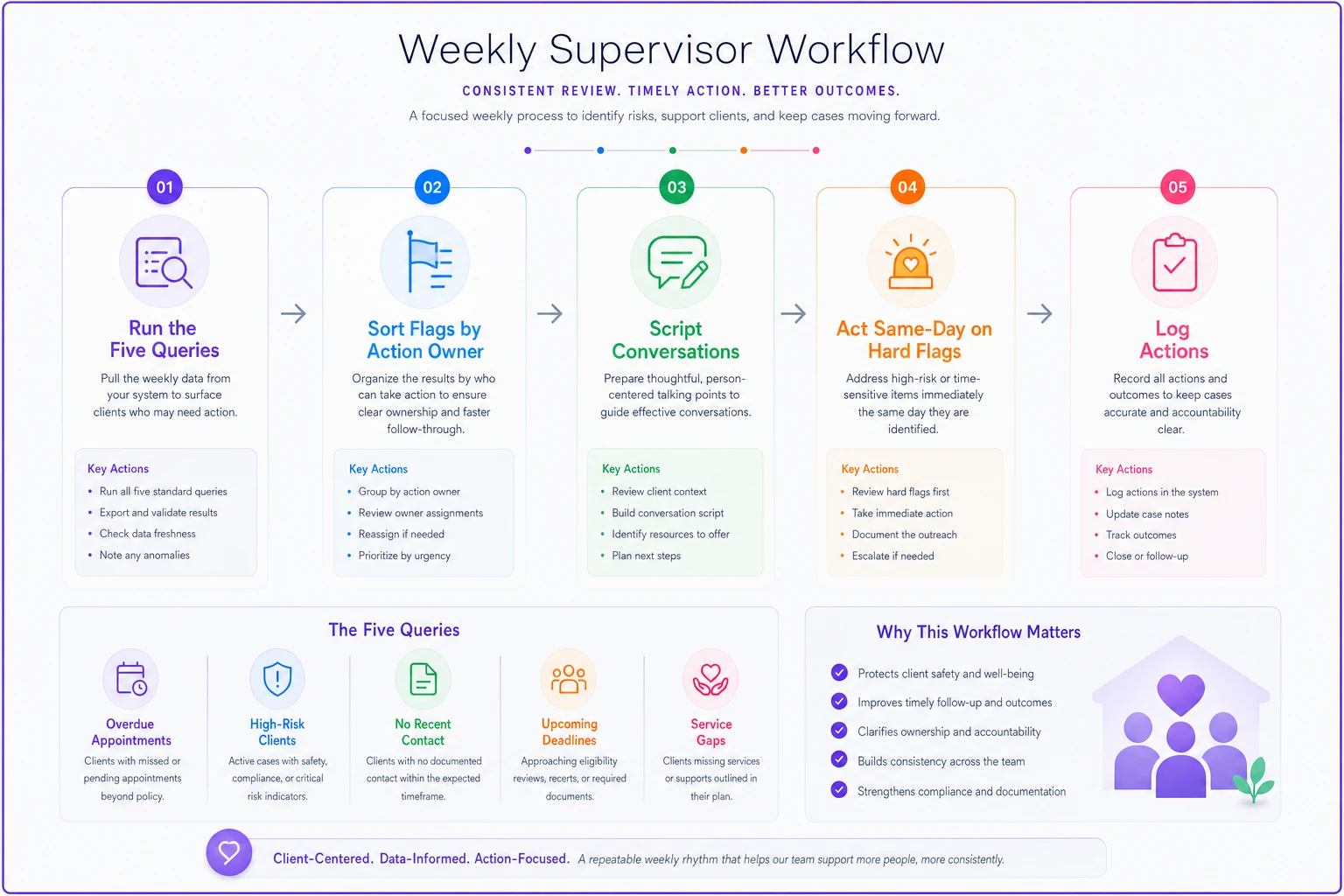
A simple visual like that keeps the steps aligned with your Monday huddle.
The queries are the easy part. Any system spits out numbers. What separates a supervisor who catches a caseload spike at week two from one who finds it at week eight is having a threshold decided in advance and a sentence ready to say the moment it's crossed. Most problems in casework aren't invisible — they're just noticed too late, after the drift has already cost a client a missed follow-up or a worker a burned-out month.
Pair these checks with the rhythm of your regular one-on-ones rather than bolting on another meeting. If you're already running structured 30/60/90 supervision rituals, these five flags slot right into the agenda you've already got. Run them every week, act on them same-day, and the spikes, gaps, and inequities get caught while they're still small enough to fix with a conversation instead of a crisis.
Ready to transform your social services workflow?
Join 500+ agencies using TryCasi to improve case outcomes, enhance collaboration, and reduce administrative burden.